
Managing a contact center has never been easy, but rising costs, customer expectations, and demand for flexible work options have made it more difficult than ever. For many businesses, sticking to a traditional setup isn’t working anymore.
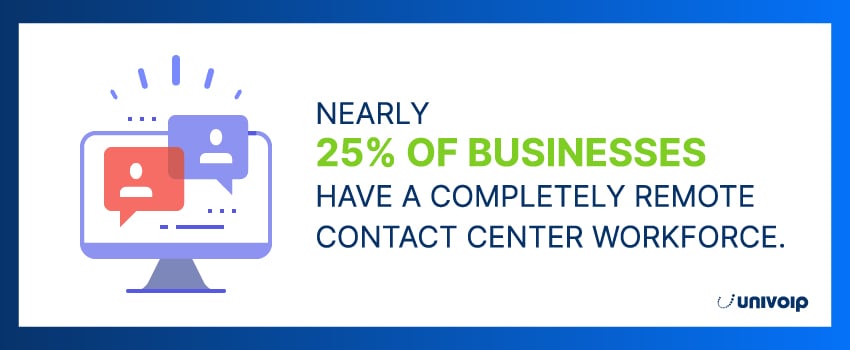
That’s why more companies are shifting to virtual contact centers. These cloud-based platforms let agents connect and serve customers from anywhere, removing the limitations of on-site systems. They’re becoming increasingly popular, too – a 2024 survey found that nearly 25% of businesses now have a completely remote contact center workforce.1
In this blog, we’ll walk through what virtual contact centers do, the features to look for, and how they can make life easier for your team and your customers alike.
Key Takeaways
- Virtual contact centers are cloud-based customer support operations that handle voice and digital channels, letting agents work from anywhere while supervisors manage routing, quality, and performance in one platform.
- Key benefits include lower overhead, faster scaling, stronger business continuity, a broader talent pool, better agent flexibility, and a smoother customer experience.
- Compared to traditional, office-based setups, virtual models are more flexible, easier to modernize, and better suited for omnichannel and AI-driven support.
- Success depends on choosing the right software (security, integrations, reporting) and managing remote challenges like hiring, training, culture, and tech reliability.
What Is a Virtual Contact Center?
A virtual contact center is a customer service operation that runs through a cloud platform instead of being tied to a physical office and on-site phone equipment. Agents don’t need to sit in a single location to handle customer requests, because the tools they use to communicate, route conversations, and log interactions are accessed online.
In practice, it’s the same goal as any contact center: answer questions, resolve issues, and support customers across channels. The difference is the delivery model. A virtual setup removes the “building dependency,” making it easier to hire outside your local area, support remote and hybrid teams, and expand capacity without rebuilding your infrastructure.
How Do Virtual Contact Centers Work?
A virtual contact center runs through a centralized platform where customer conversations come in (calls, chat, email, and more) and are routed to the right agent based on rules like availability, skill, language, or priority. Voice is typically handled via VoIP, while digital channels flow through built-in messaging tools or integrations.
Supervisors don’t lose visibility just because the team is distributed. The platform provides dashboards for live activity, performance metrics, call logs, and quality monitoring, so leads can coach, review outcomes, and spot issues early. Agents simply log in and work from wherever they are, as long as they have a reliable internet connection.
Because everything is managed in one place, it also becomes easier to scale up or down, add new channels, and keep processes consistent across home offices, satellite locations, and outsourced teams.
6 Benefits of a Virtual Contact Center
Switching to a virtual contact center offers major advantages for businesses of all sizes. Here are some of the most important benefits:
Reduced Overhead
Without needing a physical office to house your contact center operations, you can avoid capital expenses like rent, utilities, on-site infrastructure, and in-office IT support.
Broader Talent Pool
Hiring remotely allows you to recruit top talent from anywhere, which opens the door to multilingual agents, specialists, and around-the-clock coverage.
Faster Scaling
Need to add agents in another state or country? Virtual contact centers make it easy to scale your team and services without requiring infrastructure overhauls.
Business Continuity
Cloud-based platforms offer built-in redundancy and disaster recovery capabilities, so your operations keep running even during unplanned outages or other disruptions.
Improved Agent Experience
Virtual contact centers let agents work from wherever they want and enjoy more flexible schedules. They also gain access to advanced tools that make their jobs easier and more productive.
Enhanced Customer Experience
These platforms give customers better access to information and support across multiple channels for a smoother experience overall. And with faster routing, they spend less time waiting and get more relevant help when they need it.
Traditional vs. Virtual Contact Center: What are the Differences?
At a high level, the difference comes down to where your contact center “lives” and how your team runs day-to-day operations. Traditional contact centers are built around a physical office and on-site systems. Virtual contact centers are designed for distributed teams, with agents working from anywhere and supervisors managing performance through online tools.
Key Differences at a Glance
|
Aspect |
Virtual contact center |
Traditional contact center |
Location |
Agents can work remotely from anywhere with an internet connection |
Agents typically work from a physical office |
Cost |
Lower overhead since there’s no office space to maintain, and fewer facility-related expenses |
Higher overhead due to rent, utilities, equipment, and office maintenance |
Scalability |
Easier to scale up or down quickly by adding or reducing agents as demand changes |
Scaling often requires more seats, more hardware, and more space |
Flexibility |
Better coverage across time zones and shift models, supports extended hours and 24/7 more easily |
Less flexible scheduling, usually tied to on-site hours and staffing constraints |
Technology |
Cloud-first tools, easier access to modern analytics and automation features |
Often relies on legacy systems and slower upgrades, integrations can be limited |
Talent pool |
Wider hiring pool, including specialized skills and multilingual coverage |
Hiring is usually limited to local candidates or commuters |
Agent experience |
Remote work options and flexible schedules can improve work-life balance |
Commutes and fixed shifts can make work-life balance harder |
Disaster recovery |
More resilient, operations can continue even if one location is affected |
More vulnerable to local outages or disruptions that impact the office |
Virtual Call Center vs. Virtual Contact Center: What’s the Difference?
While many people use these terms interchangeably, virtual call centers and contact centers have important distinctions that affect how you serve customers and manage your team.
The key differences come down to scope and capability:
- Virtual call centers focus primarily on voice communication. They handle inbound or outbound calls and are typically built for phone-based support or sales.
- Virtual contact centers support voice plus digital channels like chat, email, and social media. They’re built to provide a unified platform for managing all customer touchpoints.
In short, virtual contact centers address the modern reality that customers expect to reach businesses through multiple channels and get consistent service regardless of how they make contact.
Essential Features of a Virtual Contact Center
Virtual contact centers come packed with capabilities that rival (and often exceed) traditional models. Common virtual contact center features include:
Call Routing and IVR
Tools like interactive voice response systems (IVRs) and automated call distribution route callers to the right agent or department quickly, no matter where that agent is located.
Omnichannel Communication
Agents can engage with customers across phone, email, SMS, live chat, and social media, all from a single interface. For example, if a customer starts a conversation on chat and needs to switch to a voice call, the agent already has the full context when they answer the phone – a must, considering 86% of consumers expect conversations with companies to flow seamlessly from one channel to the next.2

Call Recording and Monitoring
Virtual contact centers let supervisors record, monitor, and evaluate agent interactions in real time or after the fact to ensure service quality, identify coaching needs, or resolve disputes.
Workforce Management Tools
Advanced forecasting and scheduling tools help supervisors balance workloads across time zones and shifts. Some platforms also include tools for managing breaks, tracking adherence, and optimizing staffing levels – particularly helpful when managing agents in different locations.
CRM and Helpdesk Integrations
Virtual contact center software integrates with your existing systems, so agents have information about each customer interaction at their fingertips. They can see previous tickets, purchase history, and account details without switching between applications.
Reporting and Analytics
Virtual contact centers provide dashboards and reports on call volume, resolution time, customer sentiment, and more. These insights enable data-driven decisions that drive performance improvements across your entire operation.

Virtual Contact Center Technology
Virtual contact center technology is the stack behind the “features” you see. It’s what keeps conversations flowing across channels, preserves customer context, and supports remote teams without on-site infrastructure.
Cloud telephony and VoIP
Calls run through cloud telephony (VoIP) instead of an on-prem PBX. Agents can work from a softphone, desktop app, or browser, which makes setup and onboarding simpler.
Omnichannel routing and a unified agent desktop
The platform routes voice and digital interactions using rules like skills, language, priority, and availability. Agents work from one interface that keeps history and context intact when customers switch channels.
AI and automation
Virtual agents handle common requests, while AI copilots support live conversations with real-time transcription and knowledge prompts to speed up resolution and improve consistency.
Analytics and performance visibility
Dashboards and interaction analytics surface what’s happening across channels, highlight recurring issues, and reveal coaching opportunities using data rather than guesswork.
Integrations, security, and resilience
CRM/helpdesk integrations reduce tool switching and data silos. Security controls like permissions, encryption, audit logs, and biometric verification protect sensitive data, while cloud architecture improves business continuity when disruptions happen.
Challenges of Running a Virtual Contact Center
Virtual contact centers are easier to scale and manage remotely, but they introduce a different set of operational hurdles.
- Hiring remotely: Without in-person meetings, it’s harder to judge soft skills and culture fit. Structured video interviews, referrals, and tighter screening help.
- Training and onboarding: Remote onboarding needs more structure, clearer documentation, and more frequent quality checks. WEM tools can support coaching and training.
- Performance management: Supervisors have visibility, but it relies more on call reviews, recordings, and KPI trends, plus consistent feedback loops.
- Company culture: A distributed team can feel disconnected without intentional bonding. Virtual meetups, recognition, and strong internal communication matter more.
- Data security: More endpoints means higher risk. You need strong access controls, secure systems, and regular security training.
- Technical issues: The operation depends on tech and connectivity. IT support and backup procedures reduce downtime.
Being aware of these challenges early helps you build a virtual contact center that stays stable as you grow.
How To Choose the Right Virtual Contact Center Software
Not all virtual contact center platforms are created equal. When evaluating virtual contact center software, consider factors like:
- Scalability: The platform should be able to grow with your business, whether that means adding users, expanding to new areas, or supporting more channels.
- Security and Compliance: Look for providers with strong security protocols, including encryption, role-based access controls, and compliance with standards like HIPAA, PCI-DSS, and GDPR.
- Integration Capabilities: Make sure the software can connect to your core systems – CRMs, ERPs, and collaboration tools – without complex workarounds.
- Support and Training: Your virtual contact center provider should offer onboarding support, technical documentation, and responsive customer service to help your team hit the ground running.
- Analytics and Reporting: Real-time dashboards and historical data should be easy to access and customize. The more visibility you have into performance, the more effective your contact center will be.
The right platform should feel like a natural extension of your existing operations, not a burden that requires constant compromises.
Best Practices for Managing Virtual Contact Centers
Get the most out of your virtual contact center by following these best practices:
Set Clear Expectations
Make sure your agents understand their responsibilities, performance goals, and schedules. A well-documented policy can help eliminate confusion and build accountability.
Invest in Training
Virtual agents need training on tools, procedures, and soft skills, especially since they won’t have the benefit of in-office support. Use video modules, regular check-ins, and hands-on coaching.
Maintain Open Communication
Regular communication can help strengthen relationships and improve collaboration, so leverage chat tools, video calls, and team huddles to keep your virtual team connected.
Monitor Performance Regularly
Use built-in analytics tools to track KPIs like first call resolution, average handle time, and customer satisfaction scores. You can use this data during performance reviews and one-on-one coaching.
Celebrate Wins
A recent survey revealed that 27% of fully remote workers feel lonely.3 Maintain morale by taking time to recognize high-performing agents with public shoutouts, virtual awards, or other incentives.
Encourage Feedback
Your remote agents are on the front lines, so make sure to invite their input on processes, tools, and customer pain points. This information can help you improve operations and boost engagement.
Modernize Your Communications With UniVoIP’s Virtual Contact Center
Virtual contact centers are more than a response to remote work – they’re a better way to serve customers and support your team. Whether your company has five agents or five hundred, a cloud-based platform can help you stay flexible, efficient, and always connected.
At UniVoIP, we help businesses make the move to modern communications with scalable, omnichannel contact center solutions. Our cloud-based platform gives you the power to automate intelligently, connect with customers on their terms, and deliver consistent service – all from one easy-to-manage interface.
Ready to future-proof your contact center? Get in touch with us today.
Virtual Contact Centers FAQs
Sources: