
Communication powers successful businesses, which could be why more than 56% of organizations planned to increase their spending on unified communications this year.1 Business leaders recognize that integrated voice, video, and messaging capabilities drive productivity and collaboration – and Microsoft Teams has become a central player in this unified approach.
While Teams excels at collaboration on its own, adding voice calling capabilities transforms it into a complete unified communications solution. For companies that already rely on Microsoft Teams as their primary communication platform, integrating professional calling capabilities into your Teams environment is easy with Microsoft Operator Connect.
But what is Operator Connect, and how does it compare to other options for enabling PSTN calling in Teams? In this guide, we’ll break down the meaning of PSTN, how Microsoft Operator Connect works, and what to look for in Operator Connect providers.
TL;DR
- Operator Connect lets businesses add PSTN calling to Microsoft Teams through a Microsoft-certified telecom provider, turning Teams into a full business phone system.
- It is generally easier than Direct Routing because the provider manages the voice connection, while IT can handle numbers and users directly in the Teams admin center.
- To use it, businesses need Teams Phone licenses, TeamsOnly mode, a certified provider, and a plan for new or ported phone numbers.
-
Compared with Calling Plans and Direct Routing, Operator Connect offers a strong middle ground: simpler deployment, provider flexibility, centralized management, and support for emergency calling/compliance needs.
What Is PSTN (Public Switched Telephone Network)?
Before we explore Microsoft Operator Connect, it helps to understand the PSTN.
PSTN is the global phone network that allows calls to travel between businesses, mobile phones, landlines, and carriers. If you want users to make and receive external phone calls in Microsoft Teams, Teams needs a way to connect to that network.
That’s where solutions like Operator Connect come in. They provide the link between Microsoft Teams and the PSTN, making it possible to turn Teams into a complete business calling platform.
What Is Operator Connect?
Operator Connect is a service developed by Microsoft that allows businesses to bring PSTN calling into Teams with a qualified telecom operator handling voice connectivity.
Unlike direct routing, which requires manual setup and SBC configuration, or Microsoft Calling Plans, which are limited in coverage, Operator Connect for Microsoft Teams offers a more streamlined, scalable, and user-friendly way to allow PSTN access.
It’s designed to simplify the process of enabling dial tone in Teams, giving your organization more flexibility in choosing a voice carrier while enjoying the benefits of native integration and reduced complexity.
What Do You Need Before Using MS Teams Operator Connect?
Before your business can start using Operator Connect for Microsoft Teams, there are a few requirements to have in place.
Teams Phone Licensing
Users who need to make and receive external calls must be licensed for Teams Phone. Without the right licensing, Teams can still support collaboration, but it won’t function as a complete business calling solution.
TeamsOnly Mode
Microsoft also requires users assigned an Operator Connect phone number to be in TeamsOnly mode. This ensures Teams is the primary communications client for those users and allows calling features to work properly within the platform.
A Certified Operator Connect Provider
Your business also needs to work with a Microsoft-certified Operator Connect provider. These providers are approved to connect their voice services directly to Microsoft’s cloud, making it possible to bring PSTN calling into Teams without requiring your organization to build out and manage more complex telephony infrastructure.
Phone Number Planning
Another important step is deciding how your phone numbers will be handled. Depending on your situation, you may either request new numbers through your provider or port over existing business numbers. For many organizations, number portability is a major part of the migration process, especially when they want to move to Teams calling without disrupting existing customer-facing communications.
Getting these prerequisites right from the beginning makes deployment much smoother. It also helps ensure your users can start making and receiving calls in Teams without unnecessary delays or configuration issues.
How Does Microsoft Operator Connect Work?
With Microsoft Teams Operator Connect, your voice provider connects directly to Microsoft’s infrastructure through a certified Operator Connect integration. This allows your business to bring PSTN calling into Teams without having to build and manage the voice infrastructure on its own.
Your Provider Connects PSTN Service to Teams
Once you choose a participating operator, that provider delivers PSTN connectivity through Microsoft’s approved integration model. Instead of your business setting up and maintaining its own SBC environment for this purpose, the provider handles the connection between telephony services and Microsoft Teams.
Your IT Team Manages Calling in Teams
Operator Connect lets your business manage calling services within the same Teams admin environment already used for Microsoft 365 and Teams administration. That means your IT team can handle phone number assignment, user-level calling setup, and other administrative tasks from a familiar interface.
Your Users Get a Native Calling Experience
For end users, the result is a fully integrated calling experience inside Microsoft Teams. Employees can make and receive calls from the same application they already use for chat, meetings, and collaboration, without switching between separate tools or systems.
Operator Connect makes it possible to add enterprise voice to Teams in a way that is simpler, more centralized, and easier to manage than more infrastructure-heavy alternatives.
Benefits of Using Operator Connect for Microsoft Teams
Some of the biggest advantages of Microsoft Teams Operator Connect include:
Simplified Deployment
Operator Connect gives businesses a more straightforward way to bring calling into Teams. Because the service is delivered through a certified provider and managed within the Teams environment, your organization can avoid much of the complexity that comes with more customized voice deployments.
Carrier Flexibility
Unlike Microsoft Calling Plans, Operator Connect lets your business work with a participating voice provider. That gives you more flexibility when it comes to coverage, support, pricing, and the overall service model behind your Teams calling environment.
Centralized Administration
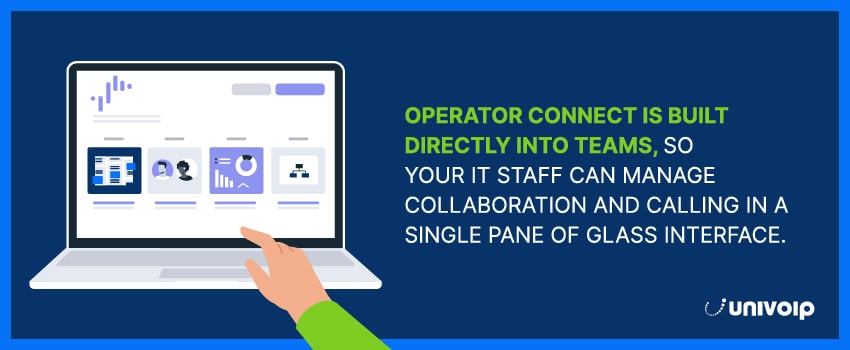
Operator Connect makes it easier for IT teams to manage calling inside the same platform they already use for Teams and Microsoft 365. This can simplify day-to-day administration and reduce the friction of managing collaboration and voice across separate systems.
Global Business Support
Many Operator Connect providers offer international coverage, which can help businesses support users in multiple countries and align phone service with regional needs. The exact footprint depends on the provider, which is why coverage should always be part of the evaluation process.
Reliable Voice Experience
Because Operator Connect is built around direct integration between Microsoft and participating operators, it supports a high-quality calling experience for organizations that want dependable Teams voice service without added infrastructure on their side.
Provider-Led Support
Working with an approved Operator Connect provider can also give your business more hands-on support during onboarding, number management, and ongoing service needs. That can be especially valuable for organizations that want a more guided Teams voice deployment experience.
Choosing the Right Operator Connect Providers
Not all Operator Connect providers are created equal. When evaluating your options, look for a provider that offers:
- Verified Microsoft certification and direct Operator Connect integration capabilities (most Operator Connect partners rely on a third-party provider to facilitate connection to Microsoft)
- Experience with Teams voice deployments across organizations similar to yours
- PSTN coverage that matches your organization’s geographical requirements
- Competitive pricing structures with clearly defined SLAs
- Responsive support teams and a smooth onboarding process
If your business needs advanced features like E911, compliance tools, or custom call routing, make sure your provider can deliver these as part of their Operator Connect service.
Operator Connect vs Direct Routing vs MS Teams Calling Plans
When businesses evaluate PSTN connectivity for Microsoft Teams, they usually compare three main options: Microsoft Calling Plans, Operator Connect, and Direct Routing. While all three can bring external calling into Teams, they differ in how much flexibility, control, and administrative effort they require. Microsoft currently presents these as distinct PSTN connectivity options for Teams Phone.
Operator Connect
Operator Connect sits in the middle. It gives your business the convenience of a Teams-native calling experience, but with a certified telecom provider delivering PSTN service. That makes it a strong choice for organizations that want easier deployment than Direct Routing while still keeping the flexibility to work with a preferred operator.
Direct Routing
Direct Routing is typically the most customizable option. It allows businesses to connect Teams to telephony services through a certified session border controller. This makes it a good fit for organizations with complex routing requirements, legacy systems, or highly customized voice environments. However, it also demands more technical expertise and ongoing management.
For many businesses, the best choice comes down to priorities. If simplicity is the goal, Calling Plans may be enough. If your organization needs advanced control, Direct Routing may be the better fit. But if you want a balance of flexibility, ease of deployment, and provider choice, Operator Connect often makes the most sense.
Microsoft Calling Plans
Microsoft Calling Plans are the most straightforward option. In this model, Microsoft acts as your PSTN provider and bundles calling into its own service. For businesses with simple calling requirements and supported geographies, this can be an easy way to get started.
MS Teams Operator Connect & Emergency Calling
When choosing an Operator Connect provider, emergency calling and regulatory readiness should be part of the evaluation process, not an afterthought.
For businesses in the United States, emergency calling requirements can involve more than simply enabling 911. Microsoft’s guidance for Teams Phone includes support for emergency addresses, dynamic emergency calling, and dispatchable location information so the correct location can be provided when a user places an emergency call. This is especially important in hybrid and remote work environments, where employees may be calling from different offices or from home.
That means your Operator Connect provider should be able to support the emergency calling capabilities your business needs in the regions where you operate. Depending on your footprint, that may include help with address management, location configuration, and in-region regulatory requirements.
Compliance needs can vary widely from one organization to another. Some businesses may need basic emergency calling support, while others may require stronger controls around routing, location accuracy, or broader communications compliance. That is why it is important to choose a provider that not only delivers PSTN connectivity, but also understands the operational and regulatory side of Teams voice deployments.
Power Your Teams Voice Experience With UniVoIP
If your business is using Microsoft Teams and wants to add voice calling without the hassle of building a complex telephony infrastructure, Operator Connect for Microsoft Teams may be the ideal solution. It combines the flexibility of choosing your own carrier with the convenience of native Teams integration, making it easy to connect to the PSTN and deliver a reliable calling experience.
At UniVoIP, we make voice-enabling Teams easy. As a certified Operator Connect provider, we can bring PSTN connectivity into your Microsoft Teams environment without the complexity of traditional voice setups. Plus, we offer Direct Routing services via our partner-centric Service Control portal if you prefer to go that route. Whatever you choose, we back it up with responsive, U.S.-based support, 24/7/365.
Contact us today to learn more about how our Microsoft Teams services can transform your Teams calling experience.
Microsoft Operator Connect FAQs
What is Operator Connect?
Operator Connect is a Microsoft Teams PSTN connectivity option that lets businesses enable external calling in Teams through a participating telecom operator. Instead of Microsoft acting as the carrier, a certified provider delivers the phone service while Teams remains the calling interface.
How does Operator Connect work?
With Operator Connect, a certified operator connects PSTN service to your Teams environment through Microsoft’s approved integration model. Your admins can then manage phone numbers and calling setup in the Teams Admin Center, while users make and receive calls directly in Microsoft Teams.
Do you need a Teams Phone license for Operator Connect?
Yes. Users need a Teams Phone license to use Operator Connect for external calling in Teams. Microsoft also requires users assigned an Operator Connect phone number to be in TeamsOnly mode.
What is the difference between Operator Connect and Direct Routing?
Operator Connect is a more managed option that uses a participating operator’s connection into Microsoft Teams. Direct Routing gives businesses more control and customization, but it requires a certified session border controller and more technical setup and administration.
What is the difference between Operator Connect and Microsoft Teams Calling Plan?
With Microsoft Calling Plan, Microsoft is your PSTN provider. With Operator Connect, your business uses a certified third-party operator for PSTN service while still managing calling inside Teams. Operator Connect is often a better fit for organizations that want more carrier choice or prefer working with a specific provider.
Can you keep your existing phone numbers with Operator Connect?
In many cases, yes. Businesses can often port existing numbers to an Operator Connect provider rather than starting over with new ones. The exact process depends on your provider, current carrier, and rollout plan.
Does Operator Connect support emergency calling?
Yes, but emergency calling should be properly planned and configured. For U.S. organizations in particular, Microsoft supports emergency addresses, dynamic emergency calling, and dispatchable location capabilities to help route emergency calls with accurate location information.
Sources:

.svg)